
Megaxus baru saja melakukan update pada game Ayodance yang sangat di nanti-nanti oleh para pemain, apakah ultra fps ayodance sudah ga terpakai lagi?
FPS atau frames per second adalah salah satu fitur terbaru dalam game Ayodance. Dalam artikel ini, kita akan membahas tentang FPS Ayodance, apa itu FPS, bagaimana cara menggunakan FPS, dan manfaat yang dapat didapatkan dengan menggunakan fitur FPS dalam permainan Ayodance.
AyoDance FPS New Configuration
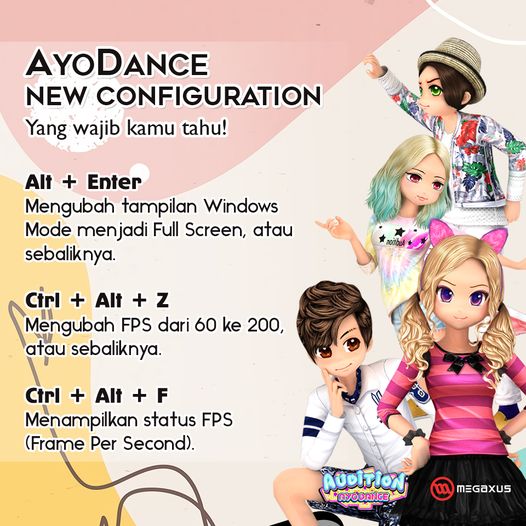
Di update Desember ini ada yang baru lagi nih. Bakal ada New Configuration di AyoDance. Kamu bisa mengubah FPS kamu dari 60 ke 200 atau sebaliknya dan mengubah tampilan Windows Mode dan Full Screen di dalam game. Bagaimana caranya? gampang banget tinggal tekan hotkey seperti di bawah ini yaa!
Ctrl + Alt + Z
Mengubah FPS dari 60 ke 200, atau sebaliknya.
Ctrl + Alt + F
Menampilkan status FPS (Frame Per Second).
Alt + Enter
Mengubah tampilan Windows Mode menjadi Full Screen, atau sebaliknya.
Apa itu FPS Ayodance?
FPS atau frames per second adalah fitur yang diperkenalkan dalam game Ayodance. Fitur ini dirancang untuk membantu pemain meningkatkan performa game dengan memperbaiki kualitas grafis dan kecepatan game.
Manfaat dari FPS Ayodance
Ada beberapa manfaat yang dapat didapatkan dengan menggunakan fitur FPS dalam permainan Ayodance, antara lain:
- Meningkatkan Kualitas Grafis Dengan menggunakan fitur FPS, Anda dapat meningkatkan kualitas grafis game Ayodance. FPS memungkinkan Anda untuk mengubah resolusi layar, kualitas tekstur, dan opsi grafis lainnya agar game terlihat lebih indah dan halus.
- Meningkatkan Kecepatan Game FPS juga dapat meningkatkan kecepatan game. Dengan mengatur opsi grafis yang tepat, game Ayodance dapat berjalan lebih cepat dan lebih lancar, sehingga Anda dapat menikmati game dengan lebih baik.
- Memperbaiki Lag Lag atau lagging adalah masalah yang sering terjadi pada game online. FPS dapat membantu mengurangi lag dengan mengoptimalkan performa game dan mengurangi beban pada komputer atau perangkat yang digunakan.
- Meningkatkan Performa Pemain Dengan performa game yang lebih baik, pemain Ayodance dapat lebih fokus pada permainan dan meningkatkan performa mereka dalam game. FPS dapat membantu pemain untuk memainkan game dengan lebih mudah dan lancar.
Kesimpulan FPS Ayodance adalah fitur baru yang dapat membantu meningkatkan performa game dan kualitas grafis Ayodance. Dengan mengaktifkan FPS, pemain dapat meningkatkan kecepatan game, memperbaiki lag, meningkatkan kualitas grafis, dan meningkatkan performa mereka dalam game. Bagi pemain Ayodance yang ingin menikmati game dengan lebih baik, menggunakan fitur FPS dapat menjadi pilihan yang tepat.